
Enterprise role-based access control for spreadsheets
Traditional spreadsheets are all-or-nothing when sharing. Grist lets you control access by table, column, row, and cell.
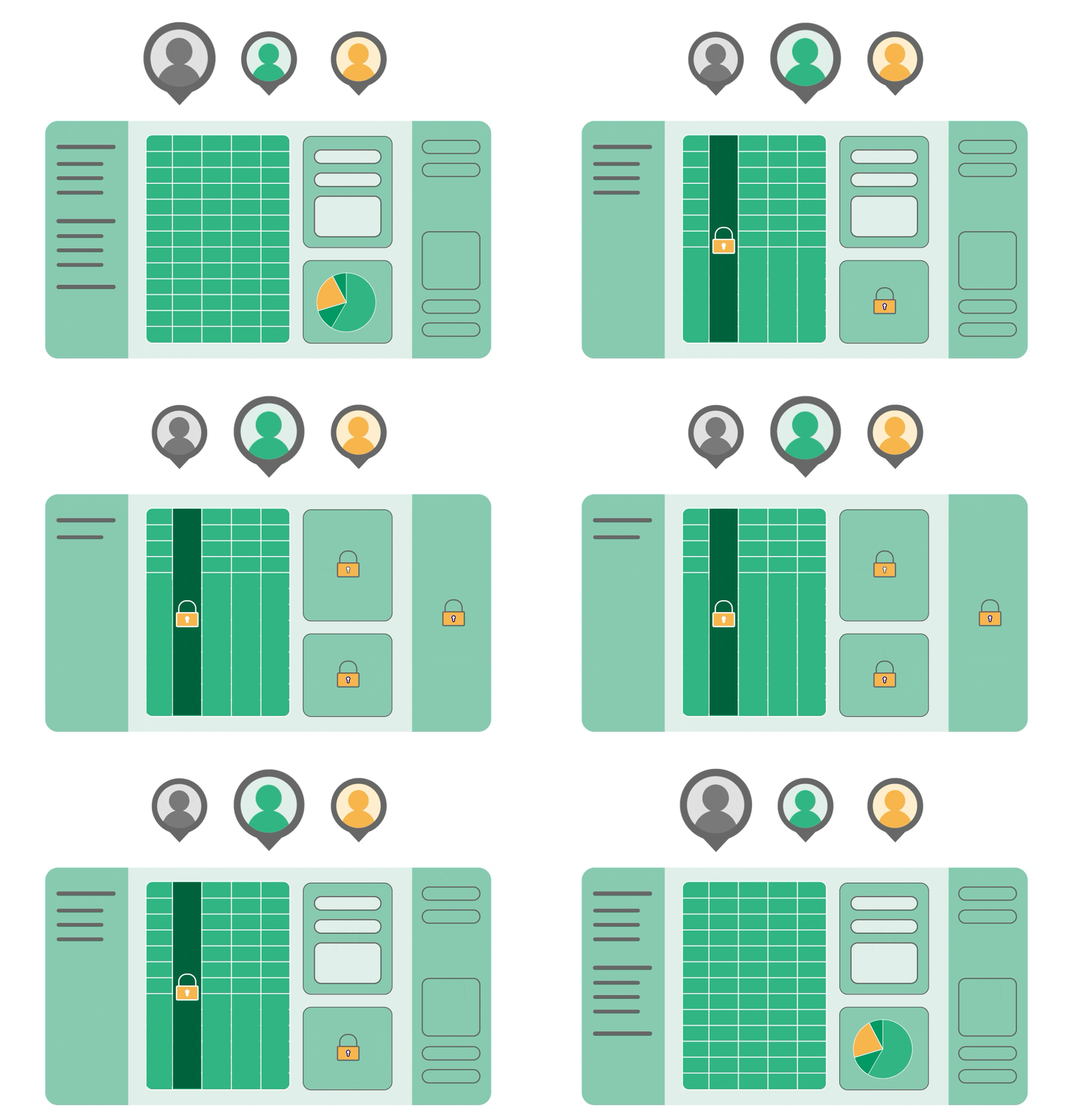
Why spreadsheets fail at access control
Traditional spreadsheets (Excel, Google Sheets) offer only document-level permissions.
Common workarounds (hiding columns, making copies, separating files) leads to insecure and fragmented data.
Compliance requirements (GDPR, HIPAA, SOC 2) demand granular data access control, or even self-hosting.
Role-based access control, row by row
What does RBAC in spreadsheets look like?
Granular permission and user data
Built for Complex Security Requirements
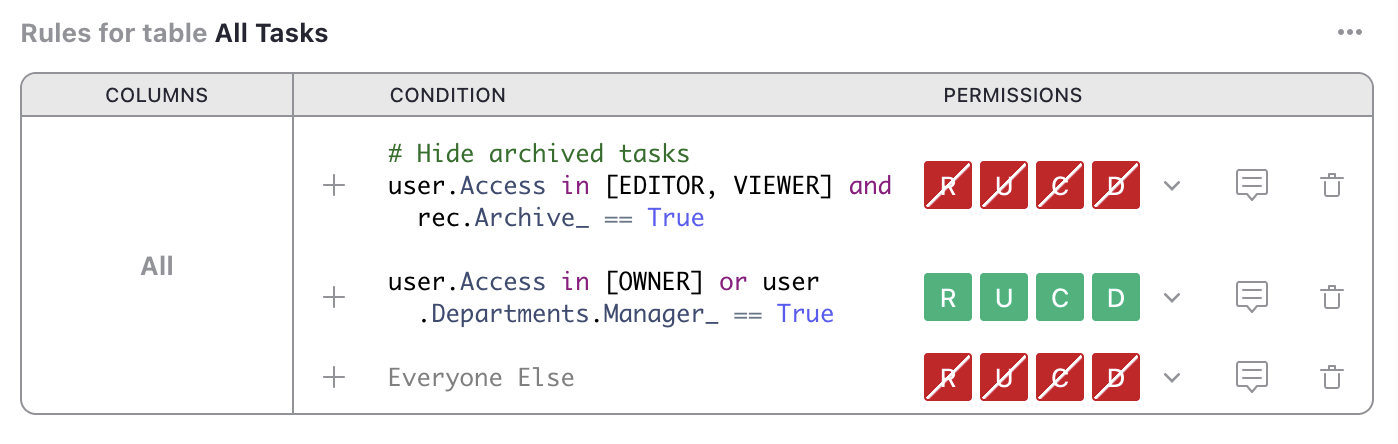
Conditions
Allow specific changes only when conditions are met (e.g., status is “approved by manager”).
Use case: Workflows where records move through approval stages.
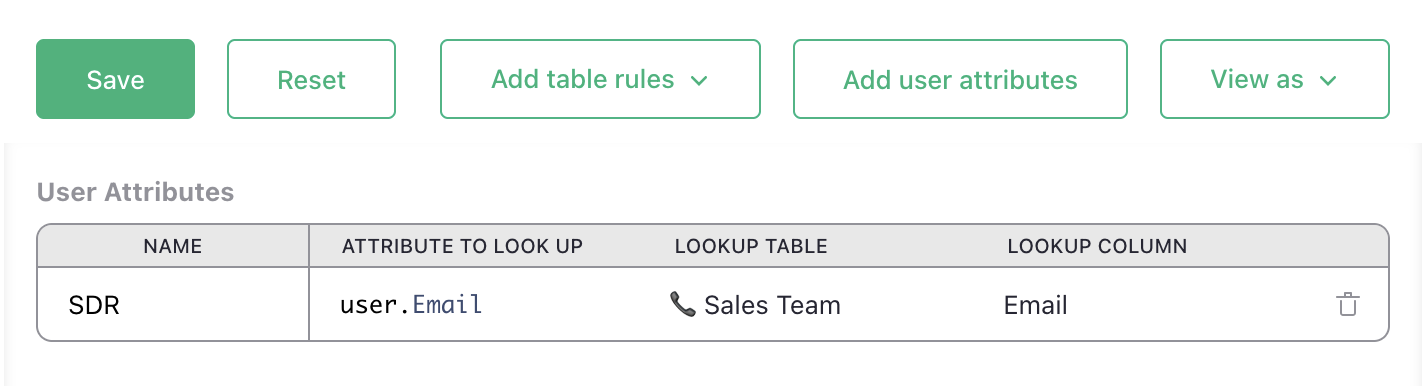
User attributes
Map users to specific fields in a table within the document and reference those fields in access control rules.
Use case: Growing teams where role assignments change frequently. No manual rewriting of rules for each new user.
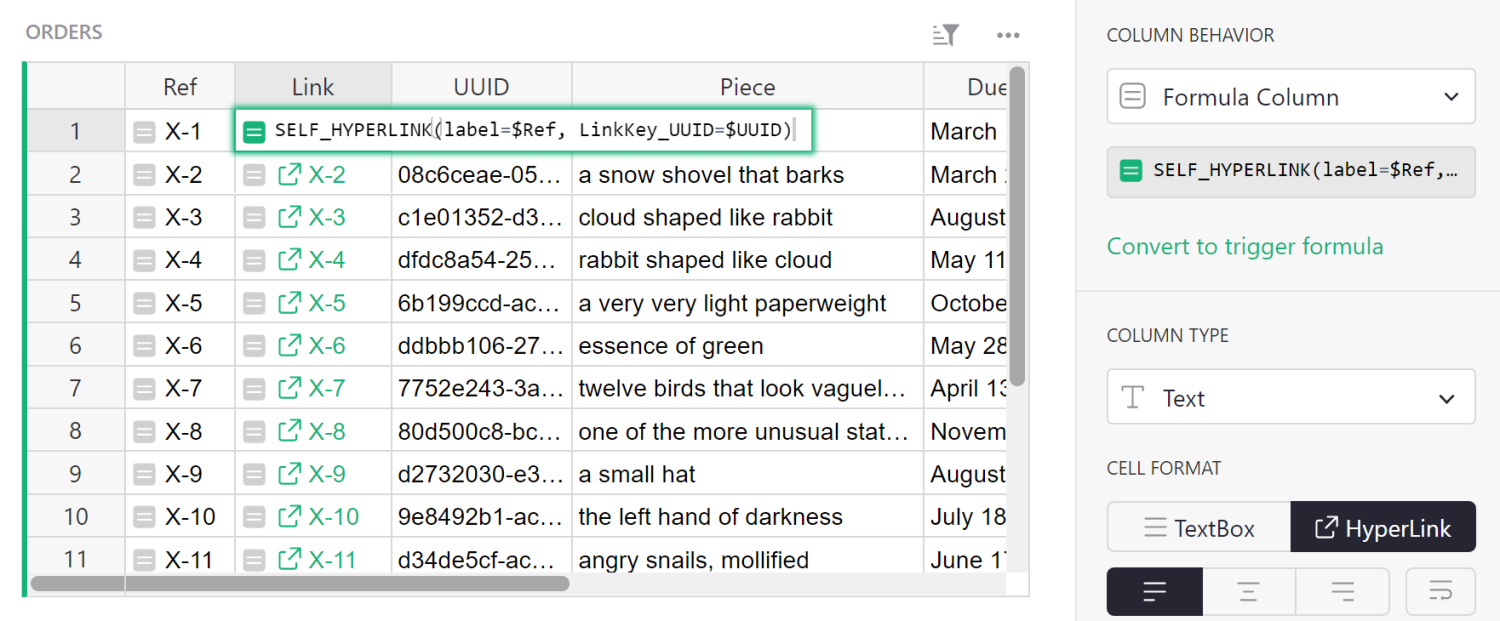
Link Keys
Generate secure, unique URLs that grant access to specific rows to external parties without login.
Use case: Collaborating with external vendors or subcontractors.
Define. Evaluate. Validate.
1
Reference user attributes and record data to define conditions with simplified Python syntax.
2
Rules are evaluated from top to bottom, with first-match logic.
3
Preview user roles with “View As” feature for quick validation.
Enterprise-grade security built-in
Access rules enforced at API and database level, not just UI
Self-hosting option for complete data control
Export restrictions respect access rules (unlike column hiding)
Supports compliance requirements for data segregation (GDPR, HIPAA, etc.)
Open-source codebase allows security auditing