Expense Tracking Template for Teams

About the Expense Tracking Template
Consolidate your employee expenses in one place. This free to use monthly expense tracker spreadsheet template is perfect for small business owners and managers of busy teams within enterprises.
This Grist spreadsheet template is more advanced than what a Google Sheet or Excel document is capable of, while maintaining a structured format that ensures easy editing and collaboration.
Build and maintain a list of business expenses by employee, department and expense categories in one place. Ensure data privacy with access rules, granting employees the ability to view and edit their own expenses while restricting access to others. Learn how we built this template in our Expense Tracking: Grist v. Excel webinar.
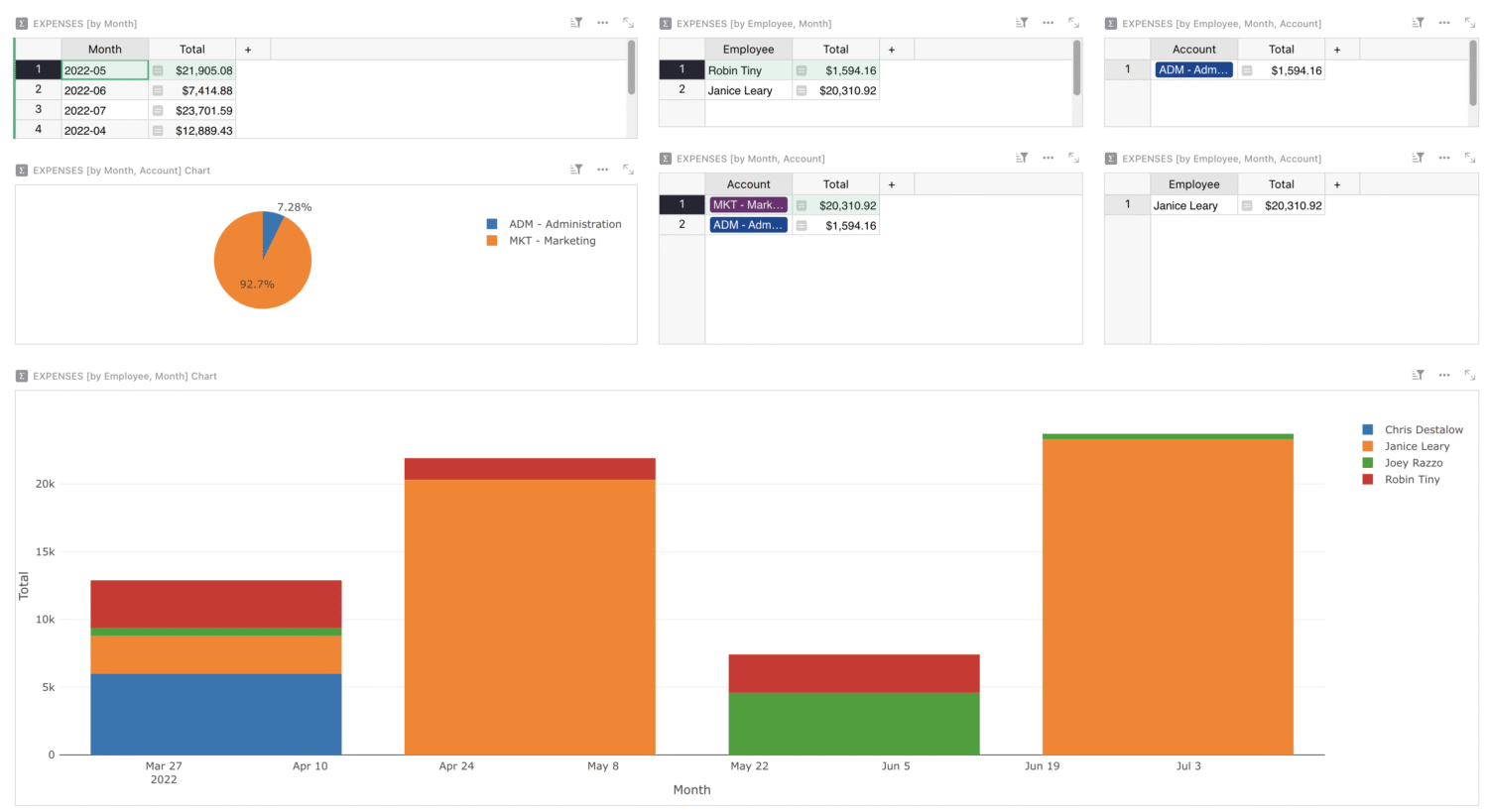
- Summarize expenses by month and employee in colorful charts.
- With granular access rules, employees can enter their expenses directly, without accessing sensitive data.
- Custom reporting and filters for comprehensive expense analysis.
Categories
How to use this free expense tracker spreadsheet template
No more wrangling employees’ expense spreadsheets into a master list every month. With access rules, employees can log into Grist, view and update only their expenses, and Grist takes care of the rest. Here’s more help on how to get the most out of this template.
If you want an even deeper understanding of exactly how you can use Grist to consolidate your team’s workflows, watch our Expense Tracking Webinar.
How to use the Expenses Summary page
This dashboard automatically updates to include new expenses added to the previous table. This dashboard is hidden from employees who should not have access to it.
Drill into data by clicking on a month, employee, or account that you can completely customize for your business. These expense reports and charts dynamically update, making it easier for you to analyze spending patterns.
Grist has a simple drag-and-drop editor for all views, so you can organize this dashboard exactly how you need – perfect for reporting. You can also rename all views (widgets) to describe exactly what’s being viewed.
How to use the Expenses page
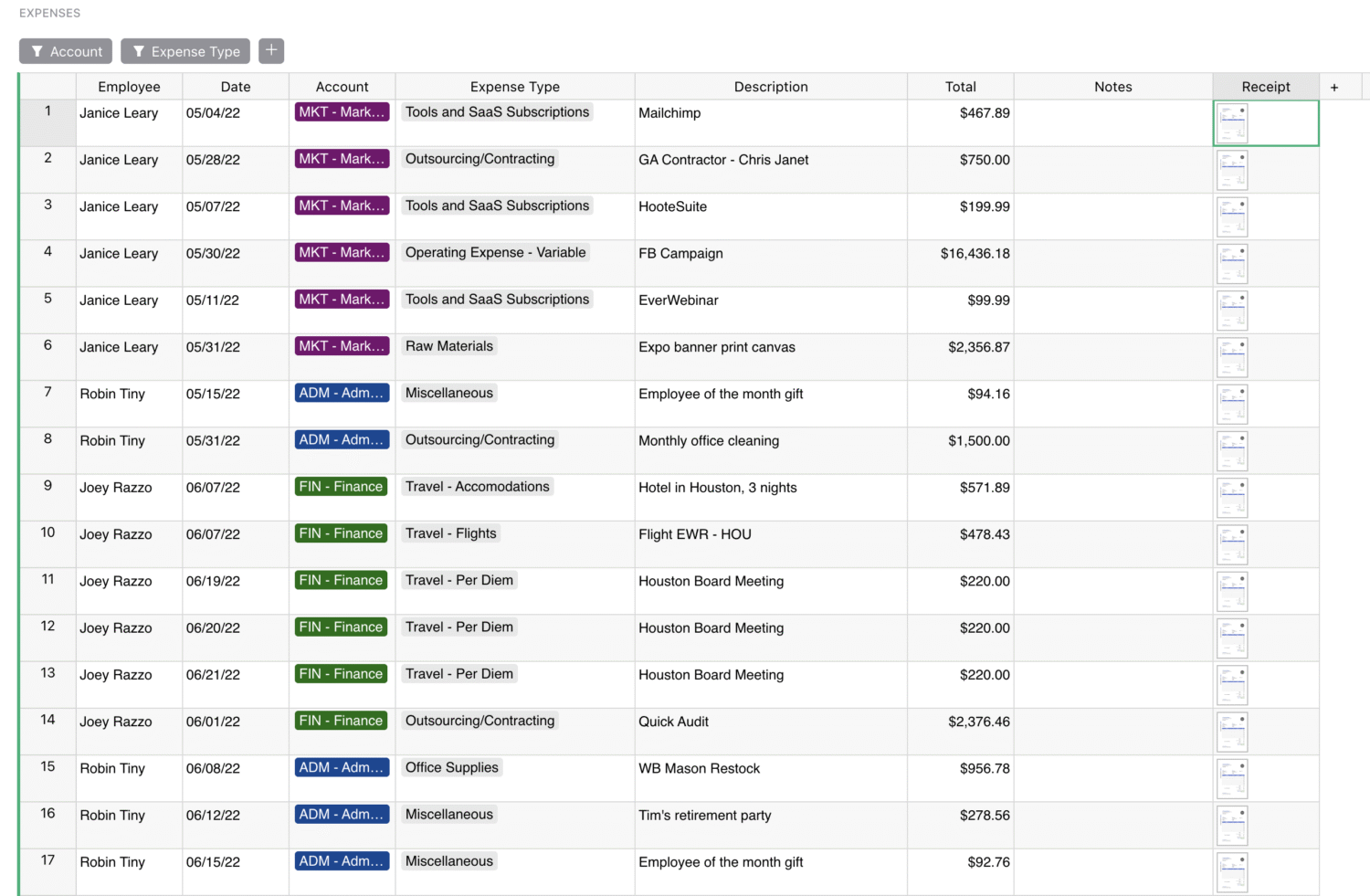
This page is where your entire team can log expenses, including information like dollar amount, description, receipt attachments, account, date, and type. You can also add more expense categories or items on this master table as you wish.
To add updates, simply click on an empty row and enter any relevant expense information. The Employee column will automatically fill out whose expense has been logged based on the user who made the row.
Additionally, all changes and updates to this page will be automatically and dynamically reflected in the Expenses Summary page, so the reporting is done for you.
How to use the Staff page and view role-based access control
List who has access to this document here. If a manager should have read-only access to their team’s expenses, list their accounts in the Account Manager column.
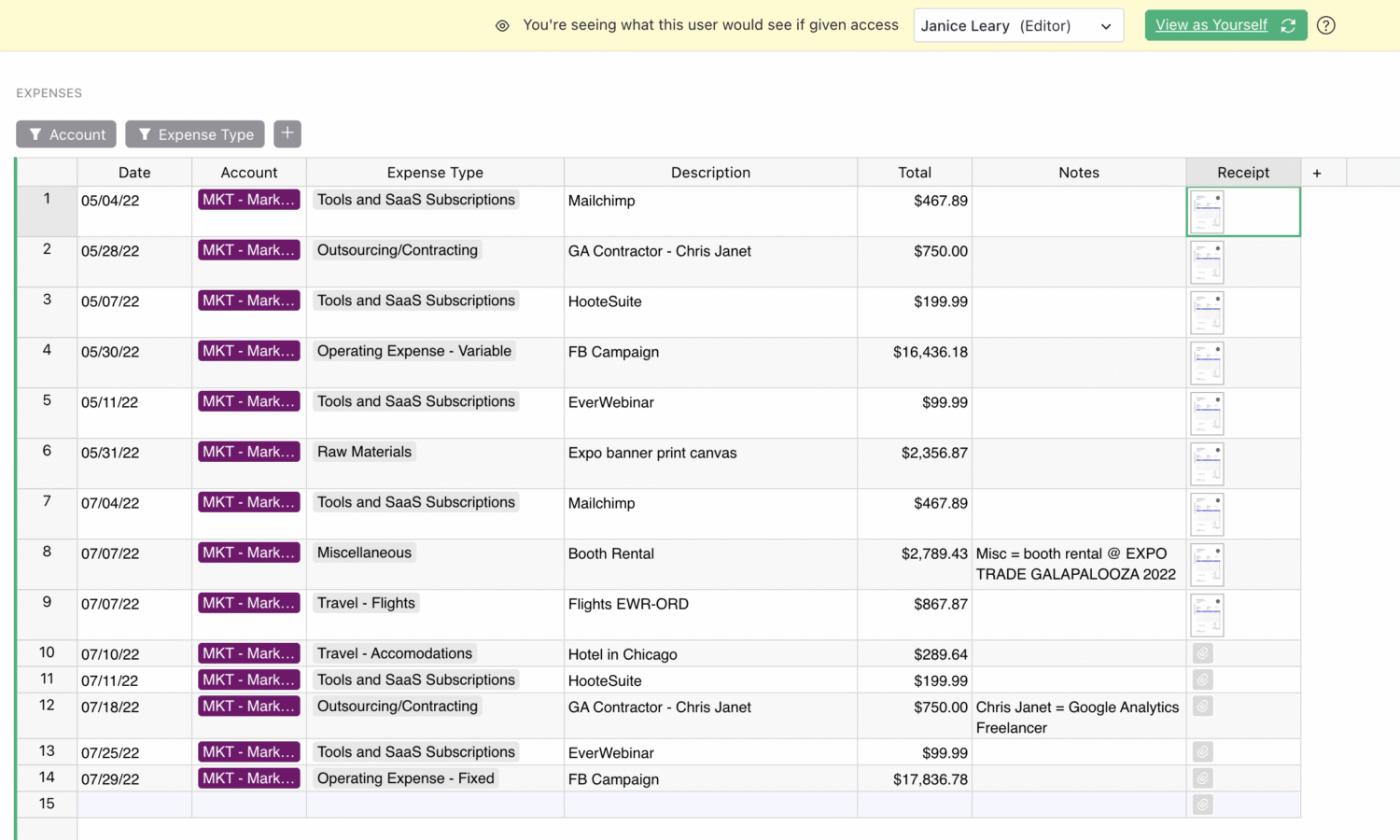
With granular access rules, members only see what’s relevant to them. Click on the “Users” button in the top right to view as any user and compare what they can and cannot view when compared to their manager, or document owner.
For example, Janice, a preset team member, only sees the expenses that she logs. No data will be leaked, and everyone on the team can store their data securely and collaboratively in the same place.
To learn more about Grist’s access rules, watch our comprehensive access rules webinar covering everything you need to know.